Master Your Linux System with VBox
The all-in-one system utility for Linux enthusiasts. Manage apps, monitor resources, and clean your system with a beautiful, modern interface.
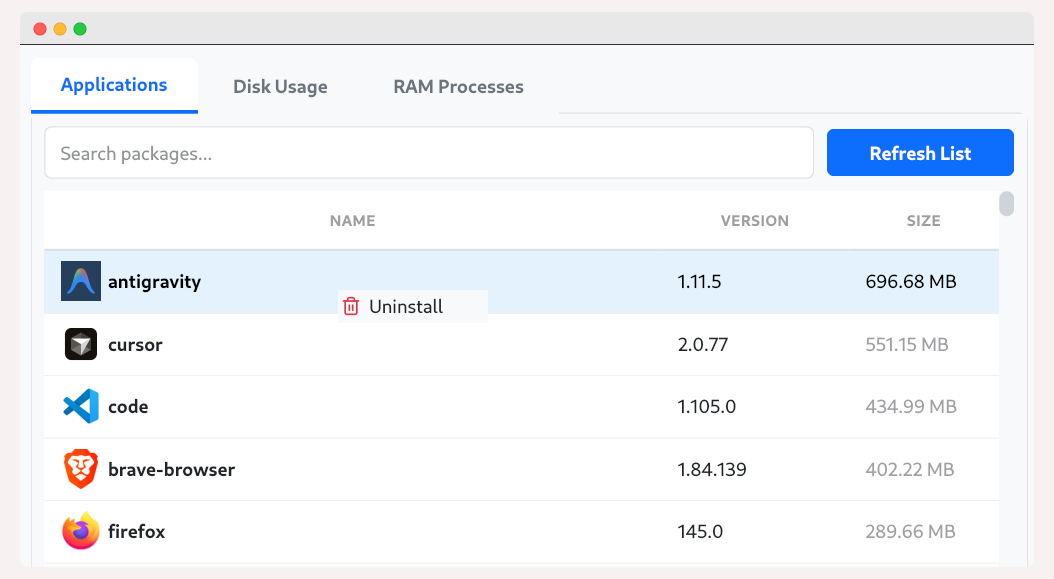
The all-in-one system utility for Linux enthusiasts. Manage apps, monitor resources, and clean your system with a beautiful, modern interface.
Everything you need to keep your system running smoothly.
Instantly search, filter, and uninstall applications. Supports RPM, DEB, Flatpak, Snap, and AppImages.
Visualize your disk usage with interactive charts. Identify large files and clean up space effortlessly.
Real-time monitoring of RAM and CPU usage. Identify resource-hungry processes and kill them instantly.
Optimized for performance. Scans thousands of packages in seconds using multi-threaded processing.
Download VBox for your Linux distribution today.
Requires 64-bit Linux. Open Source.
Follow these simple steps to get started.
Install using DNF to automatically handle dependencies.
sudo dnf install ./vbox-*.rpm
To uninstall:
sudo dnf remove vbox
Install using APT to automatically handle dependencies.
sudo apt install ./vbox_*.deb
Note: If the app fails to launch on Ubuntu 22.04, install the missing library:
sudo apt install libxcb-cursor0
To uninstall:
sudo apt remove vbox
Make the file executable before running.
Or via terminal:
chmod +x VBox-*.AppImage
./VBox-*.AppImage
To uninstall:
Simply delete the .AppImage file.